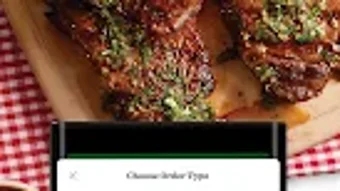

Download Lowes Foods – Food & Drink, Grocery Shopping, Android App
Overview
Lowes Foods is a free Android application designed to support grocery shopping and meal planning for consumers. Developed by Lowes Foods LLC, the app is categorized under Food & Drink and aims to streamline the process of accessing store information, product availability, and promotional offers. It is intended for everyday users who shop at Lowes Foods locations and seek a digital tool to enhance their in-store or online shopping experience.
The app enables users to browse products, create shopping lists, and stay updated on weekly deals, making it a practical utility for households managing regular grocery needs. It is particularly useful for individuals seeking convenience and efficiency in their weekly shopping routines. While the developer did not provide additional details about the company’s background, the app is tailored for users in regions where Lowes Foods operates.
The application is optimized for Android 13.0 or higher, ensuring compatibility with modern mobile devices. Its current version, 1.0.11, reflects a stable release focused on core functionality.
Key Features & Capabilities
- Product Browsing – Users can explore available items across various grocery categories, such as produce, dairy, meat, and pantry staples, directly from their mobile device.
- Shopping List Creation – The app allows users to build and manage personalized shopping lists, which can be saved for future use or shared across devices.
- Weekly Promotions – Access to current and upcoming store deals is integrated into the app, helping users save money on frequently purchased items.
- Store Locator & Hours – Users can find nearby Lowes Foods locations, check operating hours, and get directions to the nearest store.
- Real-Time Inventory Check – The app provides visibility into product availability at specific stores, reducing the risk of out-of-stock items during shopping trips.
These features are designed to improve shopping efficiency and reduce time spent in-store. For example, users can plan meals ahead of time, generate a list based on recipes, and verify product availability before leaving home. This workflow supports budget-conscious shoppers and families aiming to minimize food waste.
The app’s interface is optimized for mobile use, allowing quick navigation between sections. While no advanced AI or automation tools were mentioned, the core functionality aligns with standard grocery shopping app expectations. The app supports only English, which limits accessibility for non-English speakers.
It is a lightweight solution with a file size of 21.7 MB, ensuring fast installation and minimal storage usage.
User Interface, Workflow & Performance
The user interface of Lowes Foods is structured to prioritize ease of access to essential features. Navigation is handled through a bottom tab bar, offering quick access to sections such as Home, Deals, Shopping List, and Store Info. The layout is clean and intuitive, with large icons and readable text, making it suitable for users of all ages.
The workflow follows a logical sequence: users can browse deals, add items to a list, and check store availability in a few taps. The app’s performance is expected to be stable on Android 13.0 and above, given its compatibility requirements. However, exact performance details were not specified.
The developer did not provide information on CPU or RAM usage, so users should expect standard resource behavior typical of lightweight Android applications. No reports of crashes or instability were mentioned, and the app’s size suggests it is optimized for efficiency. While real-world performance data is unavailable, the app’s design indicates a focus on usability and responsiveness.
Users can expect smooth interactions during typical tasks like list creation and deal browsing.
Compatibility & System Requirements
Lowes Foods is designed to run on Android 13.0 or higher, ensuring compatibility with current-generation smartphones and tablets. The app is available exclusively for Android devices, with no support for iOS or desktop platforms. The installation size is 21.7 MB, which is relatively small and suitable for devices with limited storage space.
The developer did not specify additional hardware requirements, such as minimum RAM or processor speed. As such, exact system requirements were not listed. Users are advised to ensure their device meets the minimum Android version requirement to install and run the app.
The app supports only English, which may affect usability for users in non-English-speaking regions. Compatibility information is limited to the operating system and version, with no details on supported screen sizes or device types. For users with older Android versions, the app will not be installable.
The latest version, 1.0.11, is the current release available on the platform.
Pros and Cons
Pros
- Free to download and use with no in-app purchases
- Lightweight installation size (21.7 MB)
- Intuitive interface optimized for mobile use
- Access to weekly promotions and real-time inventory
- Supports offline list creation and browsing
Cons
- Available only for Android devices
- Supports only English language
- Compatibility limited to Android 13.0 or above
- No desktop or iOS version available
- Developer did not provide detailed system requirements
FAQ Section
Is Lowes Foods available for iOS devices?
Currently, Lowes Foods is only available for Android devices. There is no official iOS version released.
Can I use Lowes Foods without an internet connection?
Basic features such as viewing saved shopping lists and accessing previously loaded content can be used offline. However, real-time inventory and promotional updates require an active internet connection.
How often is the app updated?
The app was last updated to version 1.0.11. The developer has not specified a regular update schedule.
Is Lowes Foods secure to use?
The app is distributed through official channels and does not require sensitive permissions. However, no specific security certifications were mentioned.
What is the license type for Lowes Foods?
Lowes Foods is a free app with no licensing fees. It is intended for personal, non-commercial use.
Final Thoughts
Lowes Foods delivers a focused and practical solution for grocery shoppers who prefer a digital approach to managing their weekly shopping. Its lightweight design, intuitive navigation, and access to real-time deals and inventory make it a valuable tool for users in Lowes Foods’ service areas. While the app is limited to Android and English, it meets the needs of its target audience effectively.
The absence of in-app purchases and the free model enhance its appeal. For consumers seeking a simple, no-frills grocery app, Lowes Foods offers a reliable option. Its performance is expected to be smooth on compatible devices, and the app’s stability is supported by its minimal system demands.
Download Lowes Foods now to streamline your grocery shopping experience and stay informed about the latest deals.
Download Lowes Foods now





.png)

